We're thrilled to introduce OmniVault — Orderly's first-ever strategy vault product designed for users 🎉 With OmniVault, users can unlock high, passive yields on their assets effortlessly. Powered by advanced market-making strategies from Kronos Research, OmniVault offers an exciting opportunity to earn attractive returns — all while maintaining a smart, risk-managed approach to liquidity provision.
Here’s how you can earn yield. Head to Orderly OmniVault and connect your wallet. You can choose from the list of supported networks (arbitrum, base, optimism & more to come!) one of the perks of our cross-chain strategy vault.
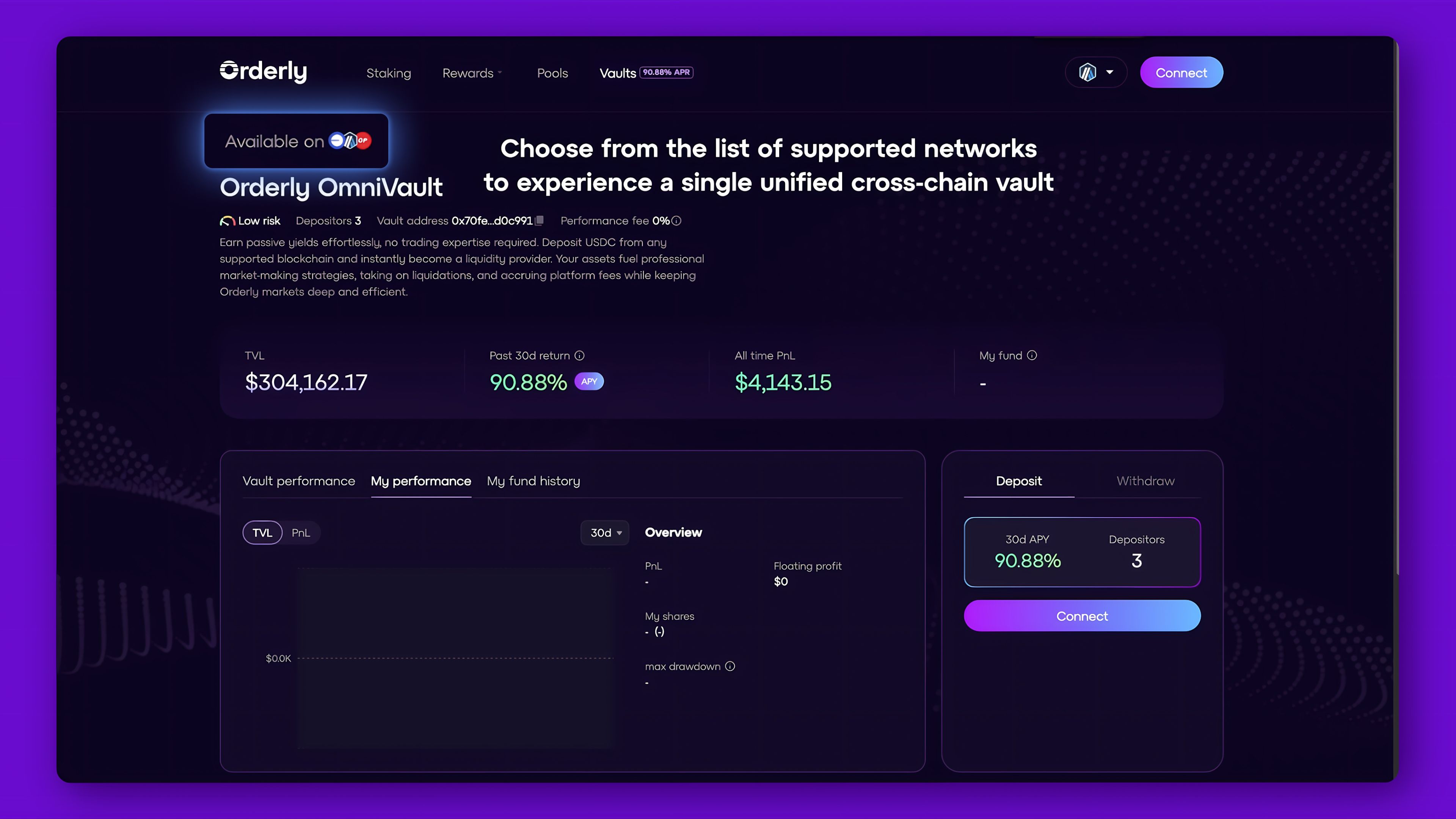
Next, input the USDC amount you wish to deposit and click on ‘Deposit’. There is a 48 hour lock-up duration.
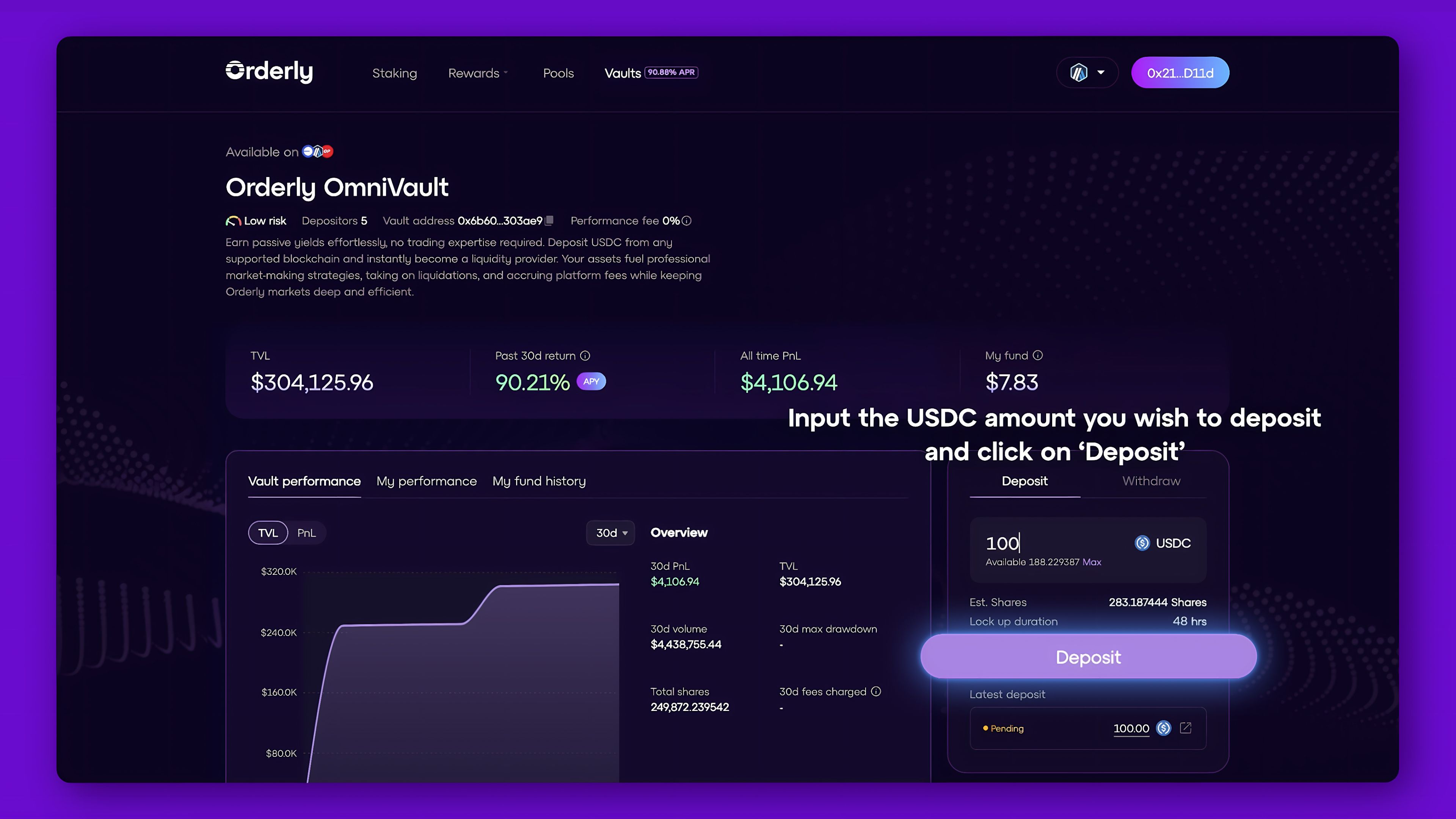
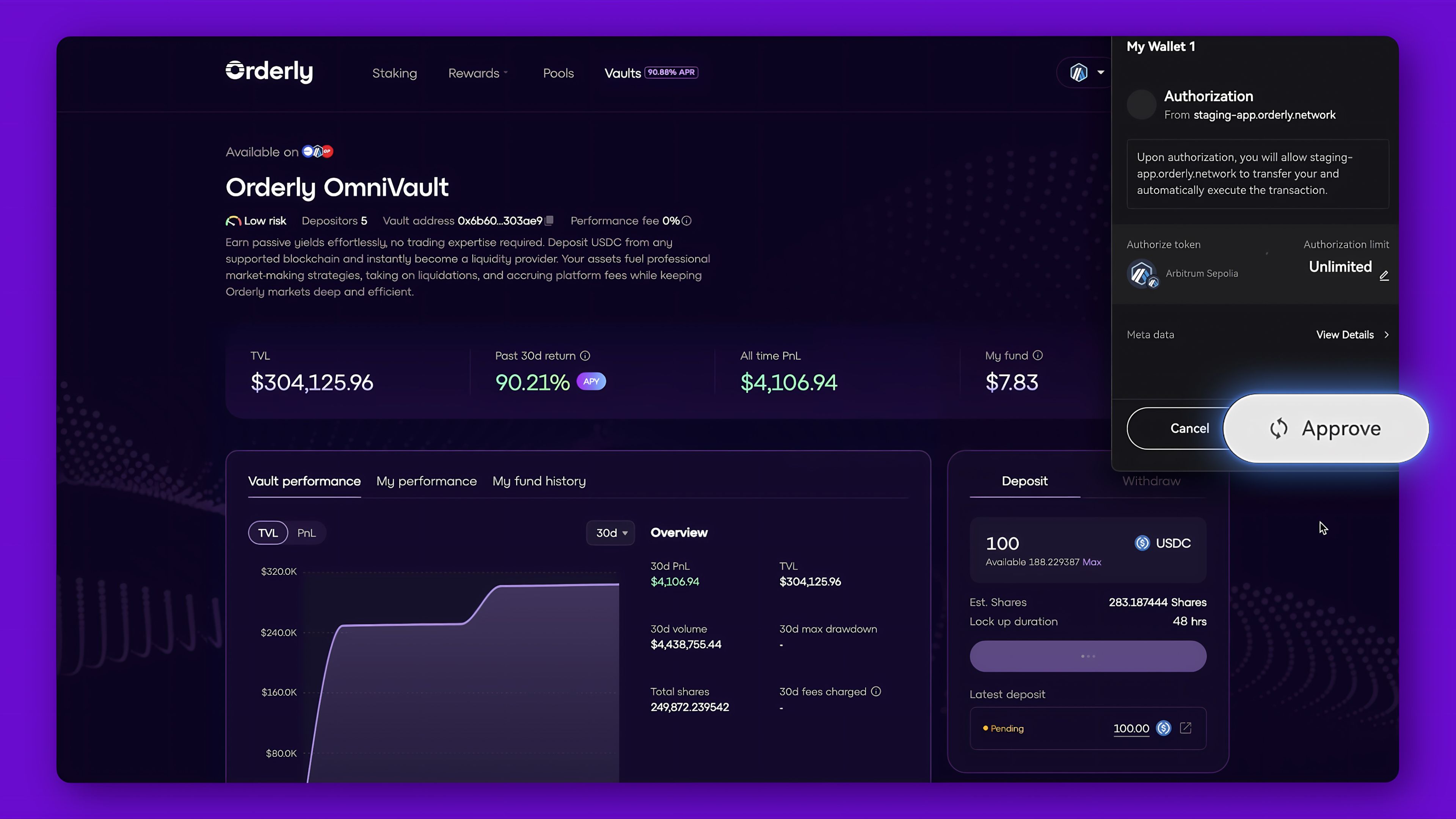
The deposit process will require approval from your wallet. Kindly select ‘Approve’ to proceed with the confirmation. Congratulations, you will start to earn yield once the next vault period begins!
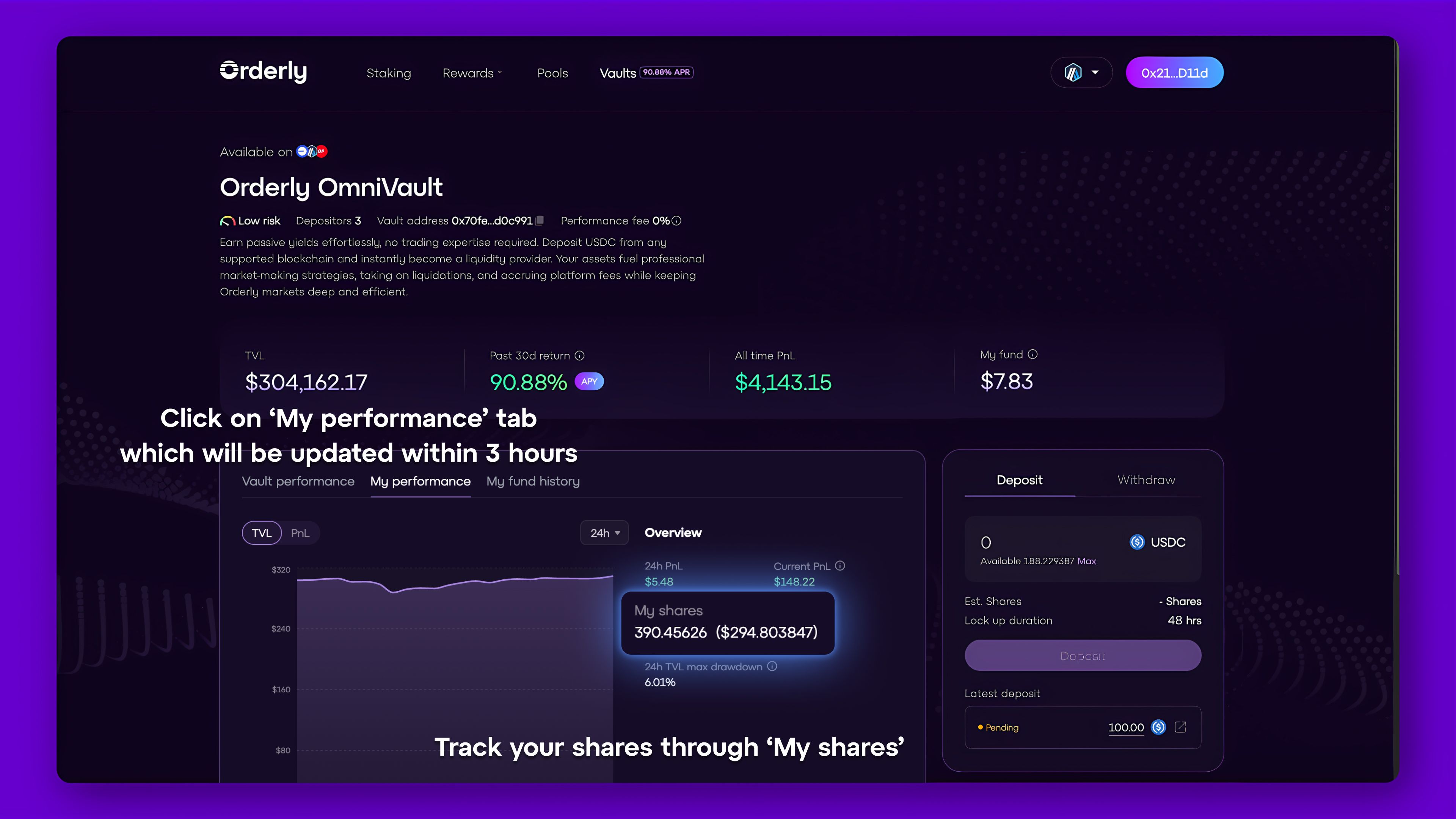
Kindly select the ‘My performance’ tab which will be updated within 3 hours and track your shares through ‘My shares’. You may select ‘My fund history’ to view your past transactions.
To withdraw, input the share amount you would like to withdraw and simply click on ‘Withdraw’. You can choose from the list of supported networks and it will be withdrawn from a single unified cross-chain strategy vault regardless of which blockchain network you have deposited from.
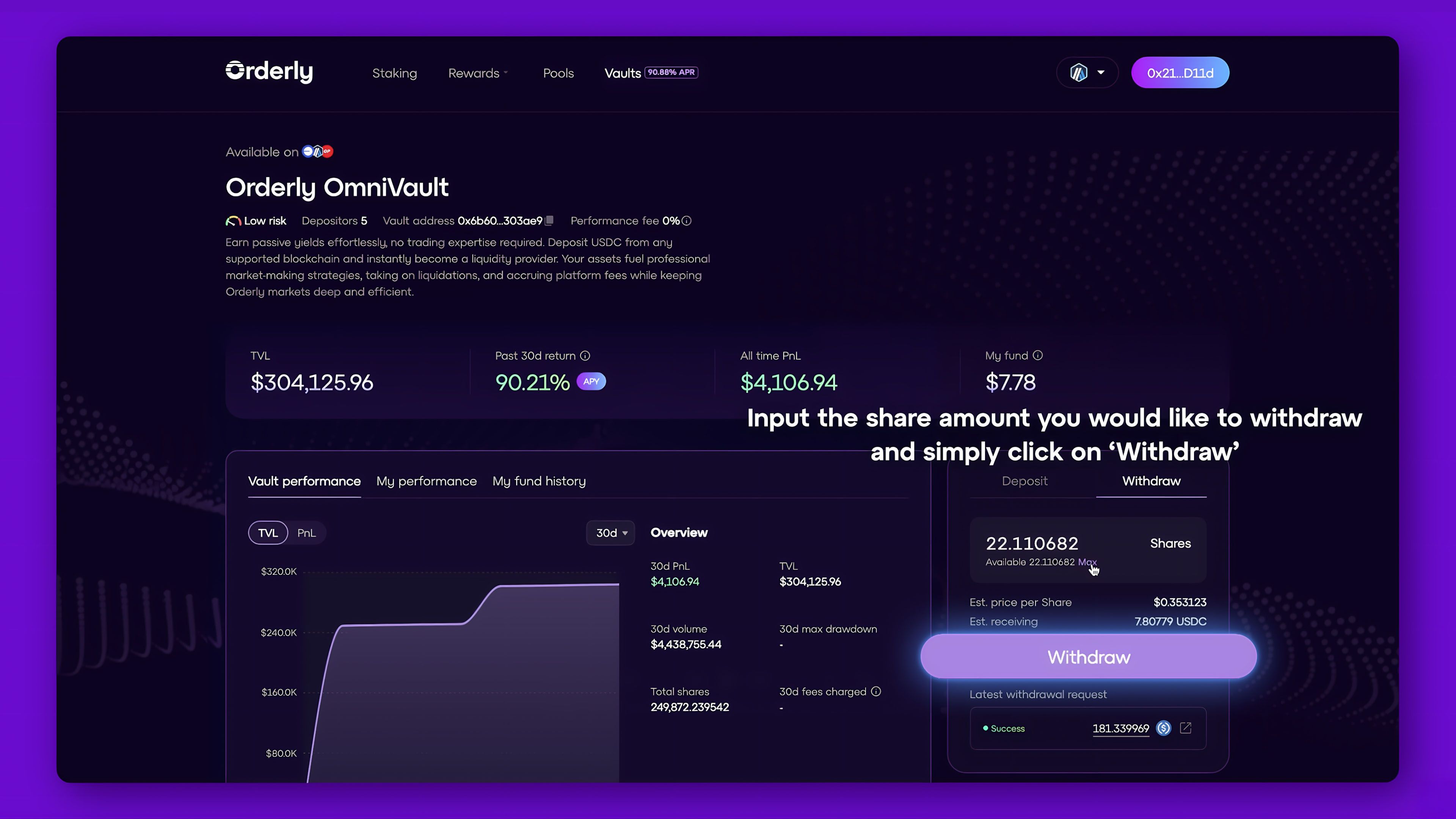
Kindly take note that at this step the network you have submitted your withdrawal request from will be the same network from which you will claim your redeemed USDC.
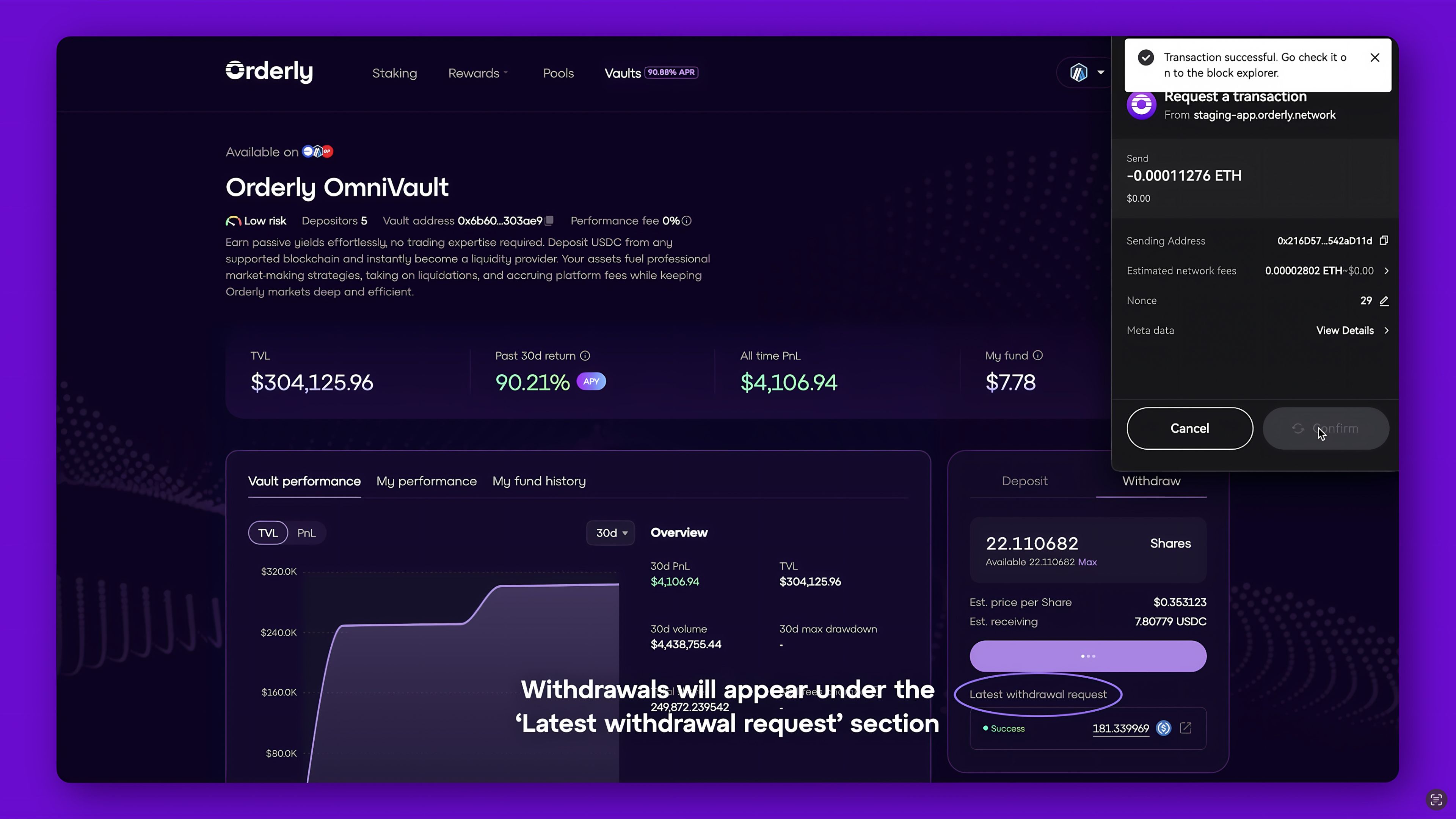
Once processed, withdrawals will appear under the ‘Latest withdrawal request’ section. Withdrawals may take up to 6 hours to process, actual claim time may vary.
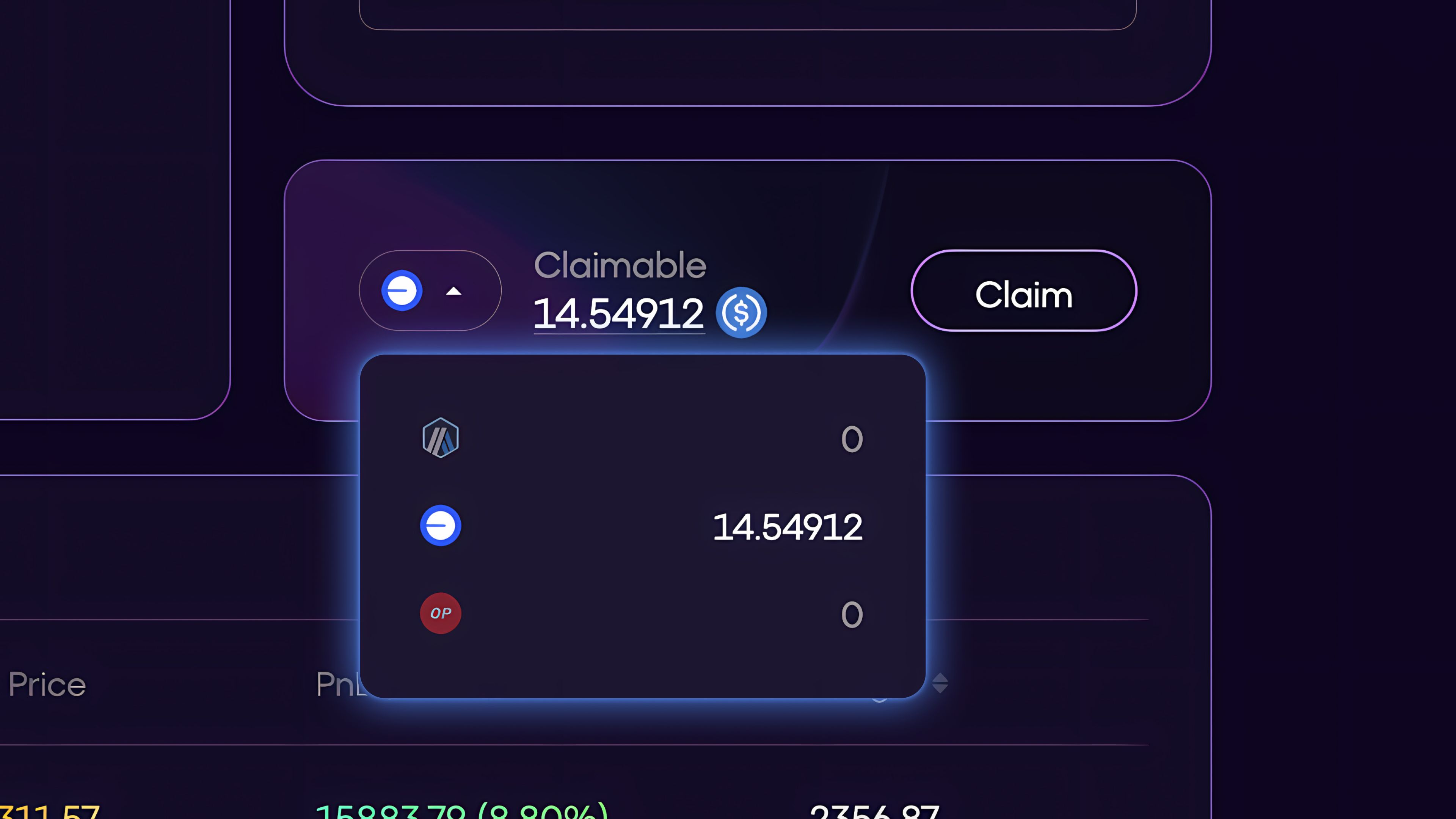
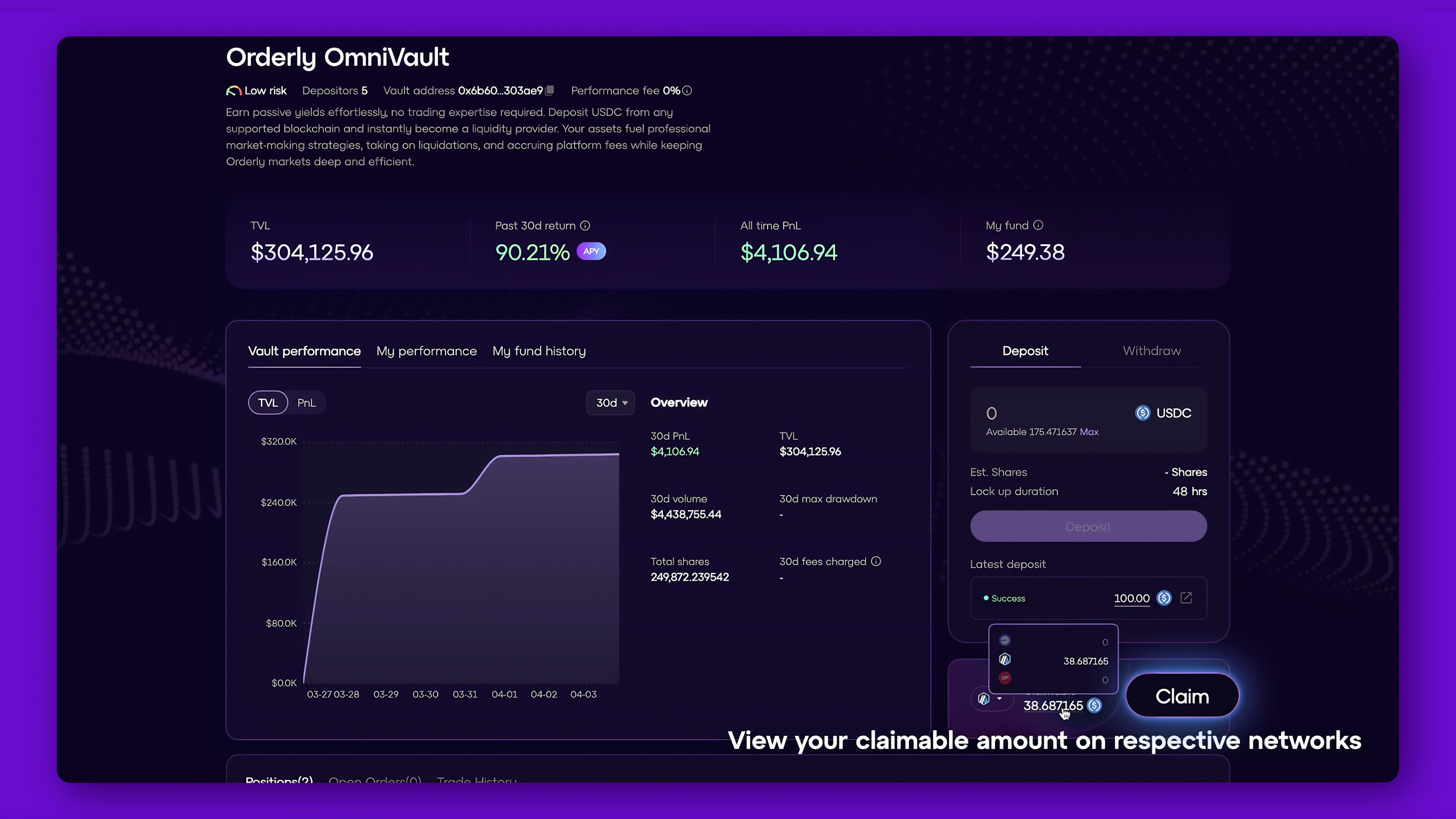
To claim, toggle over the network icon to select the respective networks. Once selected, you may view your claimable amount on the respective network.
Click on the ‘Claim’ button once withdrawals are ready and you’re done!
Disclaimer: Participation in the Orderly OmniVault does not constitute an offer of securities or a solicitation of investment. This product is not registered with any financial regulatory authority and is not subject to the same investor protections as traditional financial products. Yield generation is not guaranteed and may vary depending on market conditions and strategy performance. Participants should independently assess their risk tolerance and consult with legal or financial advisors before using this product.